
Support · Payments · 12 min read
Apple Pay and wallet checkout
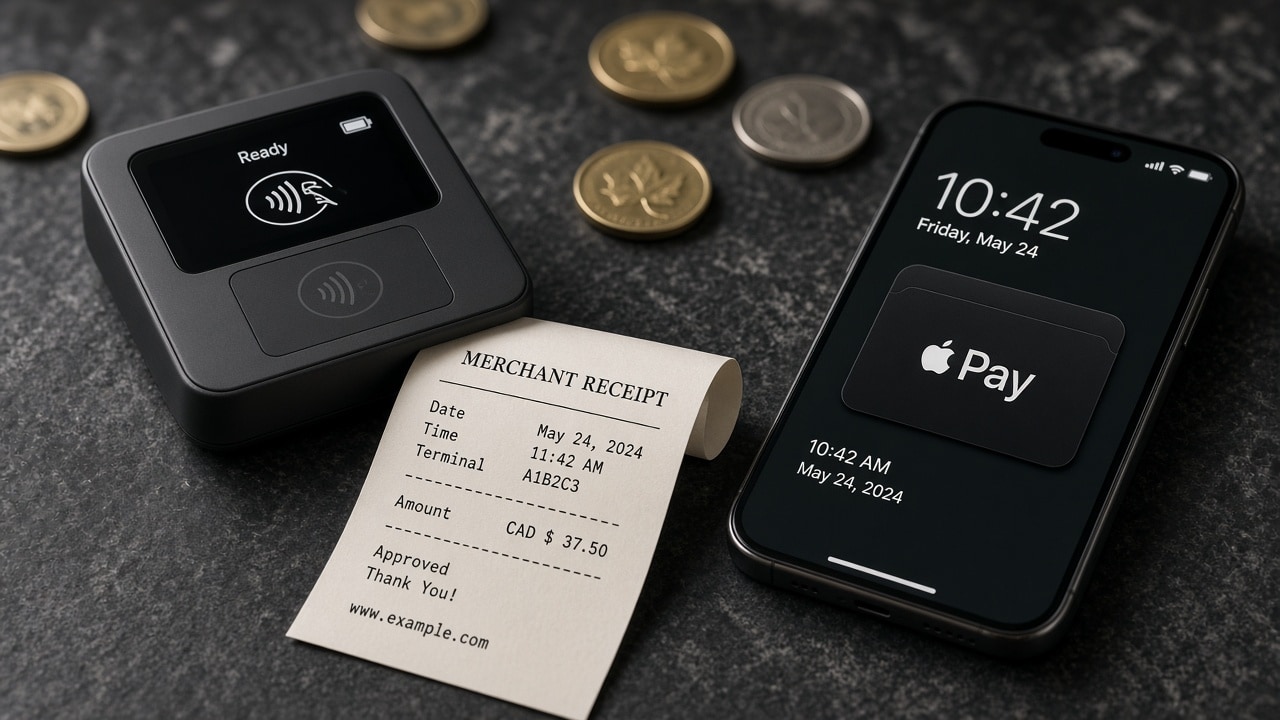
Wallets belong when they shorten a phone checkout — not as theatre.
Google Pay and other processor wallets follow the same honesty.
Google Pay can sit beside Apple Pay when Square or Stripe supports it on the Canadian account. Same rule: show it where it works, hide it where it does not. Do not detect “Android” and paint a button that opens a dead sheet. Test on a real Pixel or Samsung with a card in Google Wallet, in CAD, with tax visible. If you do not have that device in the studio, we will use ours. A screenshot from a US documentation site is not a test.
Shop Pay, Link, and other accelerator wallets are processor or platform features. They can be excellent on Shopify. They can also add a login wall a guest did not ask for. We will turn on the ones that shorten checkout for your actual buyers and leave the rest off. Each extra wallet is an extra privacy mention and an extra refund path. Care is $450 CAD a month. It is not a budget for seven accelerators you never tested in French.
In-app wallets on iOS and Android are a different build than web Apple Pay. If your first product is a mobile app, the pay sheet belongs in the native checkout, settled by Stripe or Square, with store listing copy that does not promise Apple Pay if the binary cannot do it. We ship iOS and Android from one codebase when the product allows it. The first session should complete a real task — including pay, if pay is the task. A webview of a fake Apple Pay button is still fake.
If a wallet login or pay sheet fails, it is usually configuration, a domain file, or a blank server response — not the shopper. We return readable errors. You should too. “Payment failed” is not readable. “Apple Pay is not available in this browser; use a card, or open Safari on your iPhone” is readable. Put that in both languages. Do not make the French version a machine calque of the English.
Interac is a Canadian path, not a wallet logo.
Interac debit at a Square terminal is hardware. Interac e-Transfer is a message with a match key. Neither is Apple Pay. People still say “I’ll Interac you” the way they say “I’ll Apple Pay it,” so the product design has to be plain. If you offer e-Transfer online, we email a confirmation and a key such as SYCG-4K7N2P. The key goes in the Interac message. The order waits until we match it. Then fulfillment starts. A screenshot is not a match. A close dollar amount is not a match.
Do not put an Interac mark next to Apple Pay if the click only reveals an email address. That trains people to send money into the void. Either you have unique keys and a waiting status in the merchant dashboard, or you do not offer e-Transfer at checkout. Our purchases screen is built for studio staff to match keys. Your store needs the same idea, even if the UI is quieter. Status language: awaiting, sent, paid. In French: en attente, envoyé, payé.
e-Transfer is slower than a wallet sheet. Say so next to the option. Do not promise same-day packing on an unmatched transfer. GST/HST still belongs on the receipt you send after the match. Currency is CAD. If you also take cards and Apple Pay, Interac can be the path for buyers who will not store a card. It should not be the only path. A store that can only take e-Transfer will lose the person on the sidewalk with a phone and a Wallet card.
If you are paying this studio by Interac, put the exact key in the message. We email it. We show it on checkout. The project opens after the match. If production is down and you already paid, call +1 (672) 200-7924 on a weekday. If you need a new CAD quote that includes e-Transfer for your customers, write admin@sycgeeks.ca. Book a Square appointment if you would rather walk through the flow on Pacific time.
Crypto is optional, quoted, and never the only path.
Crypto or personal wallets are a first-class rail on this site when you choose them — useful for some clients, confusing for most shoppers. We treat them as an extra, with a signed quote and a confirmed transaction. ETH is quoted from the Uniswap v3 USDC/WETH pool, converted to CAD. Checkout shows the CAD amount you are satisfying and the ETH amount at the live price. If the live quote cannot be read, we say we are reading the Uniswap ETH price, or we fall back to a documented number — we do not invent a rate in the browser.
Wallet login is a signed message, not a password and not a payment. Select the role you are joining as — client, merchant, or student — continue with the wallet, and approve the signature. New wallets store that role. Existing wallets keep the role they already have. Wallet users are treated as verified and skip the email code screen. That flow is not how you buy a catalogue SKU. Do not teach shoppers that connecting MetaMask charges them. Connecting is identity. Sending ETH to the studio address, after a quoted amount, is payment.
If wallet login fails, it is usually the database or a blank server response — not the customer’s fault. We return readable errors. You should too. A parse error or empty nonce route means try again when the studio is online, or use email and password. Do not leave a white screen. Do not blame MetaMask in the copy when our API was unreachable. That is how you burn trust with the few buyers who actually wanted the rail.
Crypto is never the only way to pay. Always keep a card path. Keep Apple Pay where it is real. Keep Interac if your buyers need it. A Canadian store that requires ETH to complete a $48 CAD sale is not a store we will ship. If you want ETH on a custom product, say so in the brief. We will quote it as an extra, test a confirmed transaction, and still ship cards. Adding it later is a checkout change on the same project — about 25 percent less with care.
Keep a card path, and test on hardware you can hold.
Always keep a card path for people who just want to buy. Guests, corporate buyers, parents paying on a school laptop, someone whose Wallet is empty — they are not edge cases. The card form should settle CAD on the same primary processor as Apple Pay. It should show GST/HST before confirm. It should work in French. It should not require a wallet extension. If the card path is ugly because all the design time went to the Apple mark, we will rebalance the page. Theatre that abandons half the phones is not conversion.
Test on a real iPhone in Safari, a real Android with Google Pay if that is in scope, a desktop with no wallet at all, and a French locale. Place a CAD order on each path. Refund it. Read the receipt. If you sell in person, tap a Square terminal in the same hour and confirm inventory moved once, not twice. If Interac is offered, generate a key and walk the waiting status. If ETH is offered, complete a small signed quote. Launch is when those paths agree, not when the homepage animation ships.
After launch, wallets break when domains change, when a processor file expires, when a theme app injects a script, when Apple updates Safari. Care watches that. Monthly $450 CAD, yearly $4,500 CAD with two months included. The reserved hour is for “Apple Pay vanished on iPhone 15” — a defect. A new wallet brand you saw at a conference is a published add-on. We write what we changed in your dashboard. Silent fixes are how you lose the plot.
If you want this on a store we build, send the brief: primary processor, which wallets are required on day one, English and French, provinces shipped, whether POS must share inventory. Discovery is 45 minutes, complementary, Pacific time. Write admin@sycgeeks.ca or book. Call +1 (672) 200-7924 on a weekday if a live wallet checkout is down. We will not spend the hour adding a fake button. We will spend it making a real one settle Canadian money.
What belongs on the pay screen, in order.
Amount in CAD, tax visible, shipping method already chosen, then the shortest honest pay path for that device. Apple Pay or Google Pay if the processor and browser can complete them. Card fields. PayPal if you asked for it and it is not the house. Interac with the match key explained in one sentence. ETH only if the buyer is the kind of client who requested it, with the live quote on screen. An account checkbox after success, not before. A privacy sentence that names the processor. That is a Canadian pay screen. Logos without behaviour wait in the graveyard with the theme you did not pick yet.
Bilingual pay screens need room. French strings run longer. Error messages run longer. We design the switch so the shopper keeps the cart. We do not offer Apple Pay in English and hide it in French. A wallet that only exists in one official language is a product bug. If you only have English copy on day one, we can structure French routes and ship a complete first language. We will not machine-dump the wallet help text and call it done. An extra language pass is $1,800 CAD standard, about 25 percent less on care.
Accessibility is launch work on this screen. The Apple Pay control must be keyboard-reachable where the browser allows it. Card labels must be real labels. Contrast must hold on a bright sidewalk. Decorative wallet marks need alt text a screen reader can skip. We build to WCAG practices a public Canadian checkout should meet. If your college or insurer has extra rules, send them in the brief. We would rather design for them than retrofit in week nine.
The studio recommendation is boring on purpose. Make Apple Pay real or omit it. Make crypto extra or omit it. Keep cards. Use Interac with keys if you will take e-Transfer. Pick Square or Stripe as the house. Add PayPal if your buyers already live there. Test CAD. Watch it after launch. If you want us to build that, the ecommerce system is $14,500 CAD, eight to fourteen weeks, tax-ready, with a real test order. We will tell you which wallets we would put on our own Saturday till — and which ones we would leave in the drawer.